

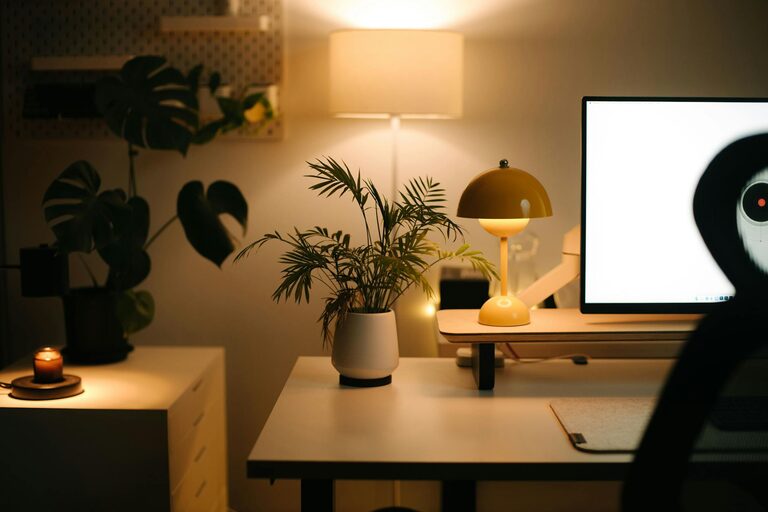
Creating a cosy and inviting home office space is more important than ever, as many of us spend significant time working from home. A well-designed home office not only improves comfort but also enhances focus and productivity. Whether you have a dedicated room or just a small corner, these tips will help you transform your workspace into a welcoming retreat.
1. Choose the Right Location
Find a Quiet Spot
Select a space that’s quiet and free from distractions. Near a window can be ideal for natural light, but ensure it’s not prone to outside noise or interruptions.
Separate Work from Relaxation
If possible, avoid setting up your office in your bedroom or living room. This helps maintain a clear boundary between work and personal life, which is key for mental wellbeing.
2. Focus on Lighting
Prioritise Natural Light
Natural light is energising and can reduce eye strain. Position your desk near a window, and use sheer curtains to soften harsh sunlight.
Use Warm, Adjustable Lighting
Add a desk lamp with adjustable brightness and warm tones to keep the space cosy during darker hours. Avoid overhead fluorescent lights as they can feel harsh.
3. Invest in Comfortable Furniture
Choose an Ergonomic Chair
Comfort is essential for long work hours. An ergonomic chair supports your back and encourages good posture.
Opt for a Desk with Enough Space
Your desk should be large enough to hold your computer, notebook, and any regular tools without clutter. Consider a height-adjustable desk to alternate between sitting and standing.
4. Add Personal and Soft Touches
Use Cushions and Throws
Adding a soft cushion to your chair or a throw over the back can increase comfort and add a homely feel.
Incorporate Plants
Houseplants not only improve air quality but also make the space more inviting and calming.
Display Meaningful Items
Include photos, artwork, or objects that inspire you. These add personality and boost motivation.
5. Optimise Organisation and Storage
Declutter Regularly
A tidy workspace fosters concentration. Use trays, holders, or small organisers to keep stationery and papers neat.
Use Shelves and Cabinets
Storage solutions help keep your desk clear. Closed cabinets hide clutter, while open shelves can showcase decorative items or books.
6. Choose a Calming Colour Palette
Soft, Neutral Colours
Shades of beige, cream, light grey, or pastel tones create a peaceful atmosphere.
Add Pops of Colour
Small accents such as colourful stationery, a bright lamp, or patterned cushions can lift the mood without overwhelming.
7. Create Zones if Space Allows
Separate Work and Break Areas
In larger rooms, create a distinct area for breaks with a comfortable chair or small sofa. This encourages regular pauses from work.
Designate a Meeting Zone
If you conduct video calls, set up a neat backdrop with appropriate lighting to keep the area professional and appealing.
8. Keep Technology in Check
Use Cable Management
Tidy cables with clips or covers to reduce visual clutter and hazards.
Invest in Quality Equipment
A good keyboard, mouse, and headset improve comfort and efficiency.
9. Add Soothing Scents and Sounds
Use a Diffuser or Candles
Subtle scents like lavender or citrus can create a relaxing ambience.
Play Soft Background Music
Instrumental or ambient sounds help many people focus and reduce stress.
10. Make it Your Own
Ultimately, your home office should reflect your personality and needs. Experiment with layouts and decorations until you find what feels most comfortable and inspiring for you.
—
By combining these practical and creative ideas, your home office can become a cosy and inviting place that supports your wellbeing and makes working from home a pleasure rather than a chore. Remember, small changes often make the biggest difference. Happy decorating!